Still designing on paper and hoping it all works out?
Create your projects in 3D and catch mistakes before you cut.
Nearly 51 minutes of video lessons
16-page printable workbook
Discussion area for questions
“This was a really clear and easy introduction! Thank you so much!” — Tim
What is SketchUp?
SketchUp is 3D modeling software that’s perfect for woodworking. It lets you design projects such as cabinets, tables, and dressers before you build.
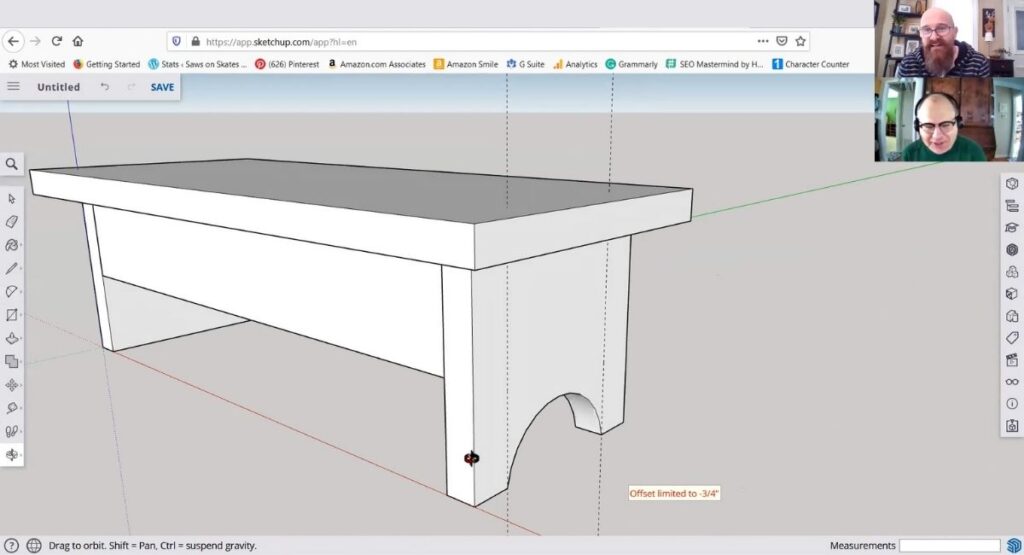
Woodworkers Use SketchUp to:
✅ Design furniture with accurate dimensions
✅ Visualize how a piece will look before cutting any wood
✅ Catch design flaws early, avoiding costly mistakes
SketchUp has a lot of advantages, but one drawback is that it can be challenging to learn.
Getting Started with SketchUp walks you through the basics, from setting up the software to learning how to use its essential tools.
With my step-by-step videos, you’ll be modeling with SketchUp in no time!
No guesswork.
Just clear, beginner-friendly steps to help you model your first woodworking project with confidence.
You Don’t Need a Lot to Get Started
This class uses SketchUp Free, so there’s no additional software to purchase.
If you have a desktop or laptop computer, a mouse (much easier to use than a trackpad), and an internet connection, you’re ready to go.
Who This Class Is For
👉 You’re brand new to SketchUp
👉 You’ve tried SketchUp before and got overwhelmed by all the tools
👉 You want a practical way to mock up your ideas and visualize your furniture projects
👉 You want to make sure parts fit together before you build
👉 You want to catch mistakes before cutting
“This was a very good tutorial to get started with SketchUp. Thank you.” — Tariq
What’s Included
✅ Nearly 51 minutes of video instruction, broken into bite-sized lessons you can watch at your own pace
✅ A 16-page workbook that pulls together everything shown on screen, plus extra tips and clarifications not shown in the videos
✅ A discussion area where you can ask questions and get help as you work through the class
After enrolling, you’ll get instant access to the full class. The lessons are organized in an online course player that walks you through step by step, almost like flipping through the pages of a book. You can pause, rewind, or come back anytime. You’ll also receive a welcome email with a link to your course dashboard so you can jump in right away.
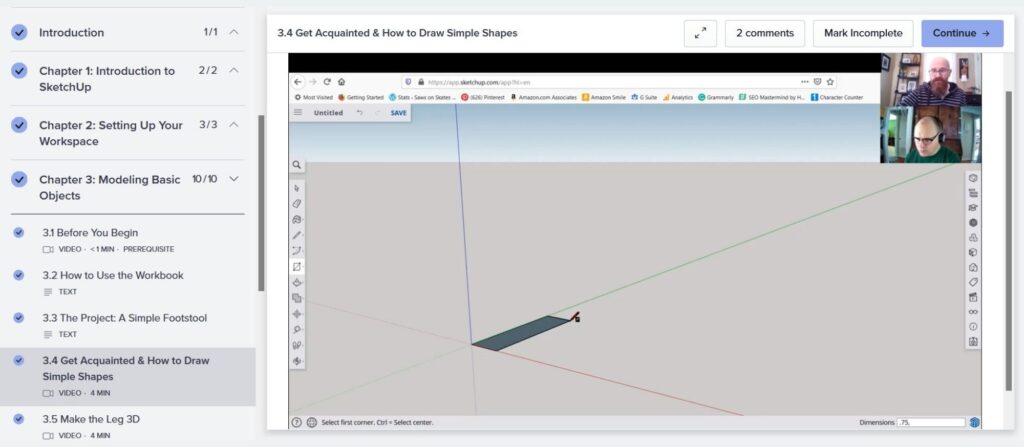
A Different Kind of SketchUp Course
The video lessons in this class are a little different than what you might be used to.
Instead of highly polished, scripted tutorials, the core of this course comes from a real, one-on-one SketchUp session I taught live with a friend. It was recorded in real time.

That means you’ll see:
- Common beginner questions
- Moments where something doesn’t work the first time
- Backing up, trying again, and figuring things out as we go
That’s intentional.
There’s a lot of overly perfect, AI-polished content out there right now. This isn’t that. These videos show what learning SketchUp actually looks like.
What You’ll Learn
In this class, you’ll model a simple footrest, a small project you can use under a desk or while relaxing at home.
As you model the project, you’ll learn how to use tools like:
- Rectangle
- Push/Pull
- Tape Measure
- Arc
- Pencil
You’ll also learn how to:
- Create and edit components
- Add guidelines
- Copy and move parts